Texture analyser
Moves a probe into, through or away from a sample at a controlled speed and records the force with a load cell. The force–distance curve gives firmness, spreadability, adhesiveness, hardness and break strength of creams, gels, lipsticks and powders.
- Cosmetics & personal care
- Food
- Pharmaceutical semi-solids
- Adhesives
- Packaging
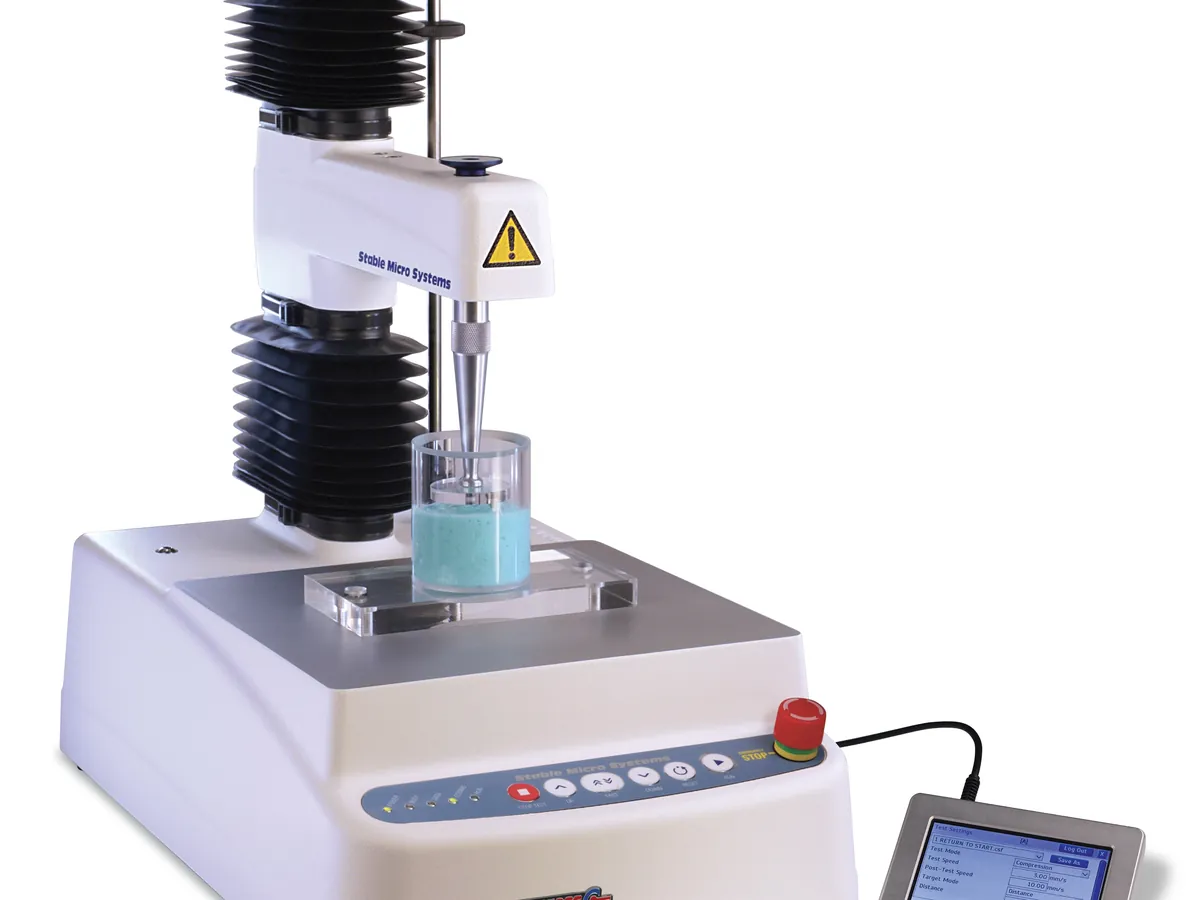
What is Texture analyser?
Texture is a key part of how consumers judge a cosmetic product: how firm a cream feels in the jar, how easily it spreads, how sticky it is, and whether a lipstick snaps. A texture analyser turns these sensory properties into numbers. It is a small, precise universal testing machine with a moving arm, a load cell and a set of probes and fixtures.
The arm moves the probe at a set speed (typically 0.1–10 mm/s) to a set distance or force. The load cell measures force many times a second, and the software plots force against distance or time. Peak force, area under the curve (work), slope and negative peaks are read from the curve and linked to properties such as firmness, spreadability and adhesiveness.
Cosmetics labs use texture analysers for product development, batch release, stability studies (does the cream soften at 40 °C?) and claims support. The same instrument is widely used in food, pharmaceutical semi-solids, adhesives and packaging, so methods are often adapted from those fields.
Used for
- Firmness and spreadability of creams, lotions and gels
- Break strength and hardness of lipsticks, balms and pressed powders
- Adhesiveness (stickiness) of gels and hair styling products
- Gel strength of hydrogels and face masks
- Tracking texture changes during stability studies
- Peel, tack and extrusion force tests for packaging (tubes, pumps)
How it works
- 01
Set up
Fit the correct load cell and probe, and calibrate force and height.
- 02
Load sample
Fill the container or position the sample in the fixture without trapping air.
- 03
Trigger
The probe moves down until a small trigger force shows it has touched the surface.
- 04
Test
The probe moves a set distance at constant speed while force is recorded.
- 05
Withdraw
The probe returns; negative force shows how much the sample sticks to it.
- 06
Analyse
The software picks out peak force, area, slope and negative peak from the curve.
Advantages
- Objective, repeatable numbers for properties normally judged by touch
- Many test types with one instrument by changing probes and fixtures
- High sensitivity; low-capacity load cells measure a few grams force
- Full force–distance curve gives several parameters from one test
- Fast, so suitable for routine QC and stability pulls
Limitations
- Results depend on probe, speed, sample temperature and container, so methods must be tightly defined
- Values are empirical; results from different methods or fixtures are not comparable
- Sample handling (filling, air bubbles, recovery time) strongly affects results
- Correlation with sensory panels must be established for each product type
- Thixotropic products give different results after stirring or transport
1 calibration procedure
Methods that use Texture analyser
Keep every Texture analyser in control: usage logs, calibration and maintenance schedules, and automatic blocking of overdue instruments.