Cosmetics testing
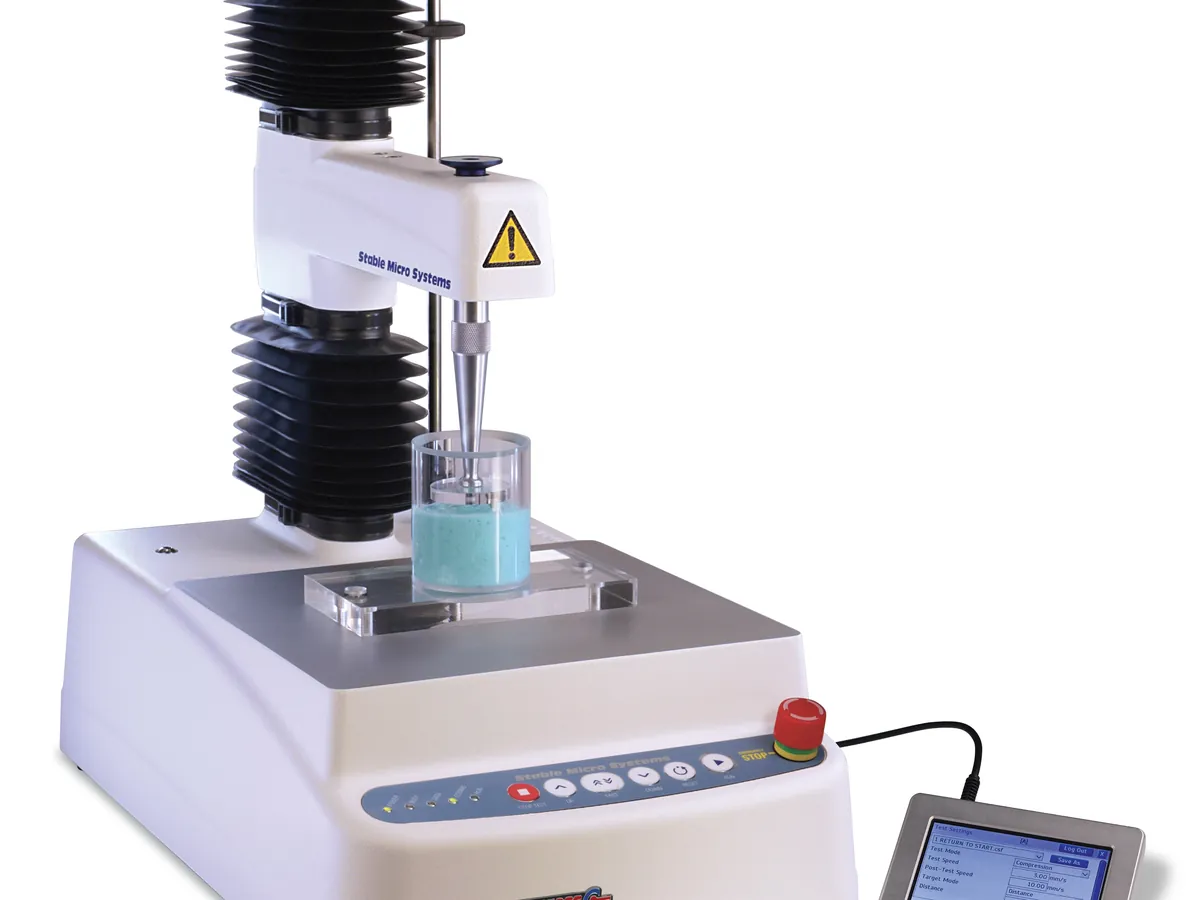
Texture analyser
Moves a probe into, through or away from a sample at a controlled speed and records the force with a load cell. The force–distance curve gives firmness, spreadability, adhesiveness, hardness and break strength of creams, gels, lipsticks and powders.
- Cosmetics & personal care
- Food
- Pharmaceutical semi-solids
- Adhesives
- Packaging
Follow your site SOP
This is a typical operating sequence for learning. Your instrument model and approved SOP take precedence.
STAGE 1
Before you start
- 1Check the force and distance calibration is in date.
- 2Fit the load cell and probe given in the method and tighten them securely.
- 3Run the force calibration routine with the certified weight and the height calibration routine as the manual describes.
- 4Condition samples to the test temperature (often 25 °C) for a set time, typically several hours.
- Never exceed the load cell capacity. Set a force limit in the software to stop the arm before overload.
STAGE 2
Sample preparation
- 1Fill the container to a fixed height with a spatula, avoiding air pockets; level the surface.
- 2Let the sample rest for the recovery time in the method so that structure rebuilds after filling.
- 3For lipsticks, wind out a set length and mount it in the fixture.
- Keep filling technique identical for every sample. Squeezing or stirring a thixotropic cream lowers its firmness.
STAGE 3
Test
- 1Centre the sample under the probe.
- 2Start the test: pre-test speed, trigger force, test speed and distance as per the method (for example 2 mm/s to 10 mm depth).
- 3Repeat on the number of replicates required (often 3–5).
- 4Clean the probe between tests with a lint-free tissue.
- Keep hands clear of the moving arm during a test.
STAGE 4
Results and shutdown
- 1Check each curve for odd shapes (air bubbles, slipping, wall effects).
- 2Report mean and %RSD of firmness, work and adhesiveness as specified.
- 3Clean probes and fixtures, return the arm to the home position and log use.
In LimsPulse · Calibration Management
Keep every Texture analyser in control: usage logs, calibration and maintenance schedules, and automatic blocking of overdue instruments.