Texture analyser
Moves a probe into, through or away from a sample at a controlled speed and records the force with a load cell. The force–distance curve gives firmness, spreadability, adhesiveness, hardness and break strength of creams, gels, lipsticks and powders.
- Cosmetics & personal care
- Food
- Pharmaceutical semi-solids
- Adhesives
- Packaging
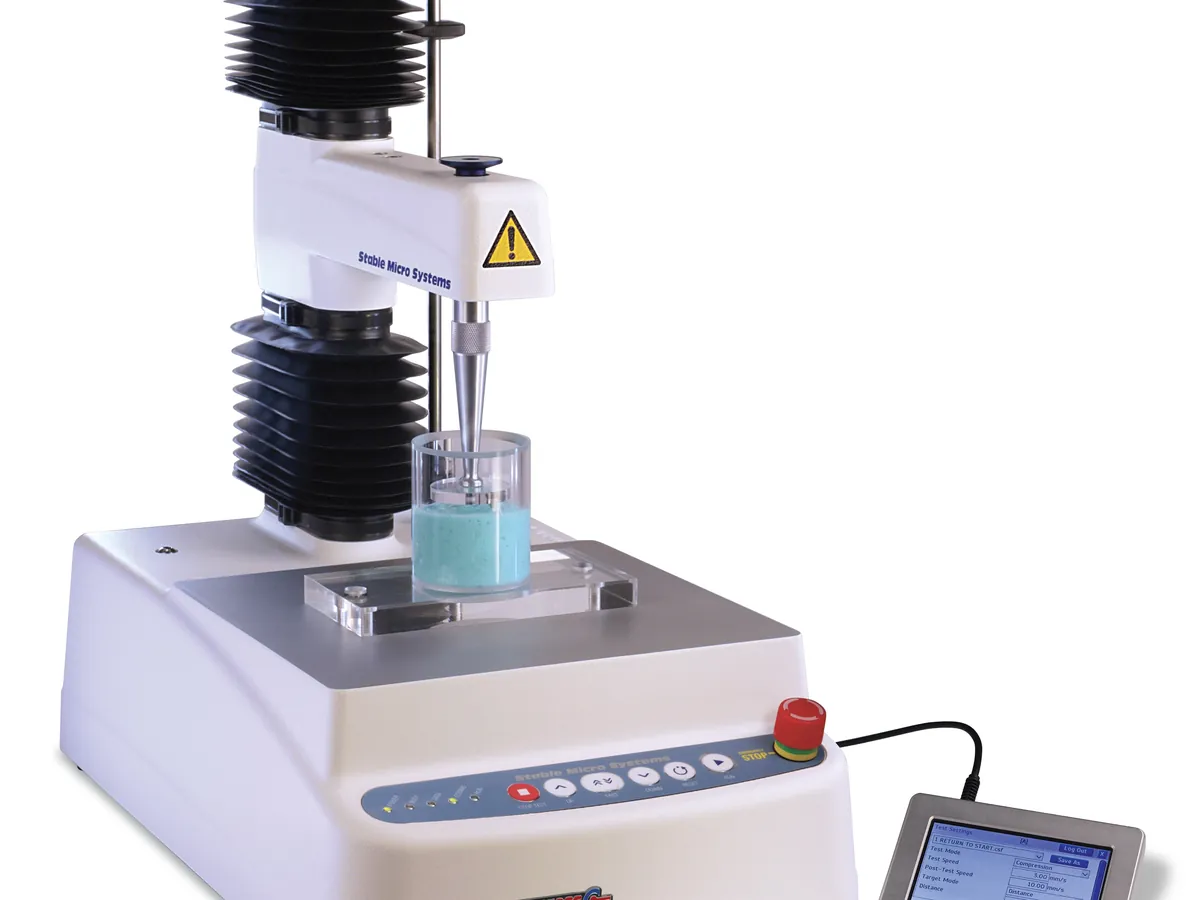
How Texture analyser works
A load cell measures the force needed to deform the sample as a probe moves at constant speed. Force is plotted against distance (or time). The maximum force is usually reported as firmness or hardness, the area under the curve as work, and the negative part of the curve during withdrawal as adhesiveness.
The path of a sample
- 01
Set up
Fit the correct load cell and probe, and calibrate force and height.
- 02
Load sample
Fill the container or position the sample in the fixture without trapping air.
- 03
Trigger
The probe moves down until a small trigger force shows it has touched the surface.
- 04
Test
The probe moves a set distance at constant speed while force is recorded.
- 05
Withdraw
The probe returns; negative force shows how much the sample sticks to it.
- 06
Analyse
The software picks out peak force, area, slope and negative peak from the curve.
Main parts and what they do
Frame and moving arm
Rigid column with a motor-driven crosshead that moves the probe at controlled speed and position.
Load cell
Interchangeable force sensor (for example 5 kg, 30 kg, 50 kg capacity) that measures force on the probe.
Probes
Cylinders, cones, needles, spheres and discs that define how the sample is deformed.
Fixtures
Spreadability rig (matched male and female cones), back-extrusion cup, three-point bend rig for lipsticks, tensile grips.
Base and heavy-duty platform
Holds the sample container or fixture securely and square to the probe.
Temperature-control option
Peltier cabinet or plate to test at a fixed temperature.
Software
Sets test parameters, records force–distance–time data, runs analysis macros and keeps an audit trail.
Terms every analyst should know
Load cell
A strain-gauge sensor that converts force into an electrical signal. Choose a capacity so that test forces fall in roughly the upper part of its range.
Trigger force
The small force (often 5 g or less) that tells the instrument the probe has met the sample. Distance is measured from this point.
Firmness
Usually the peak positive force during penetration or compression. A firmer cream needs more force.
Work of shear / spreadability
The area under the force–distance curve. A larger area means more work is needed, so the product is harder to spread.
Adhesiveness
The negative force or area as the probe is withdrawn, linked to stickiness.
Back extrusion
A disc pushes into a cup of product so that it flows up around the disc. Good for creams and lotions that flow.
Keep every Texture analyser in control: usage logs, calibration and maintenance schedules, and automatic blocking of overdue instruments.