Microbiology & sterility
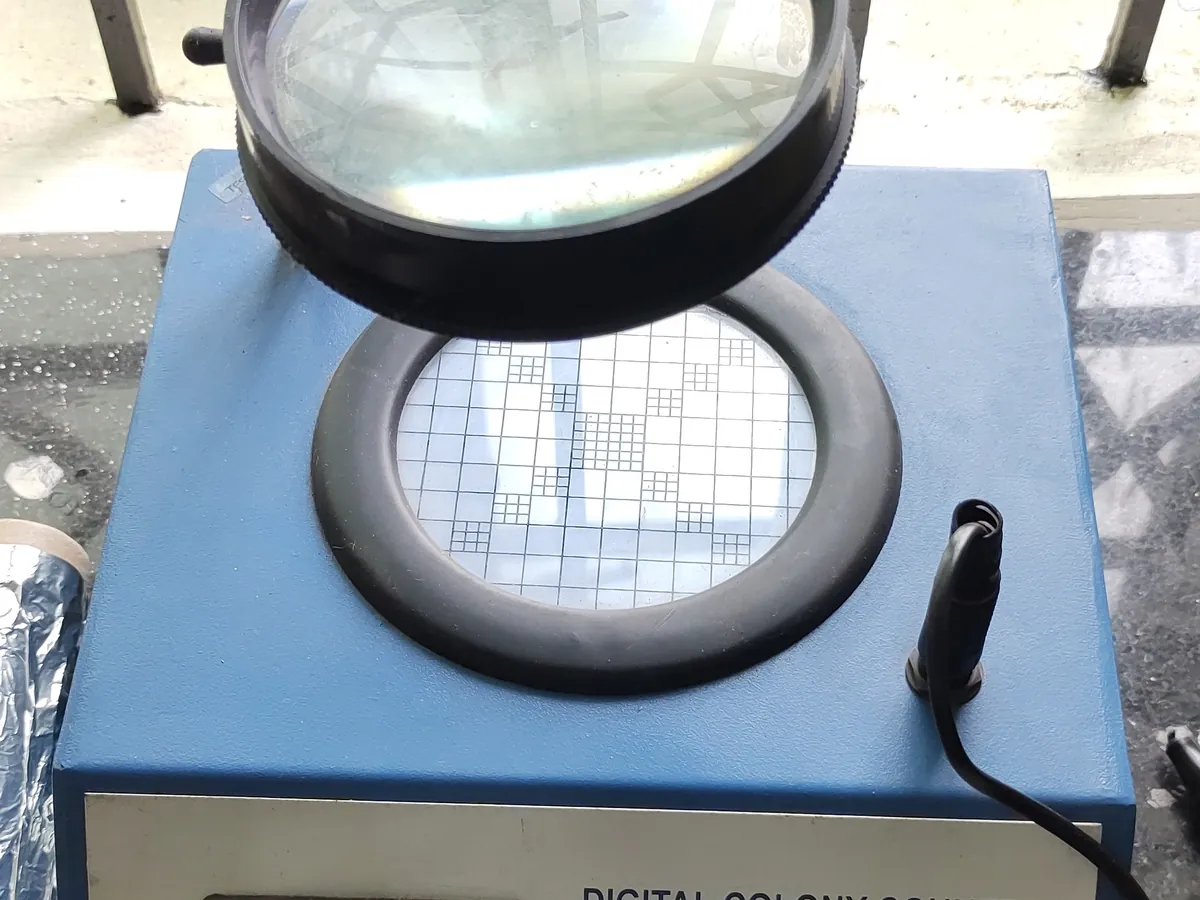
Colony counter
Helps the analyst count colonies on agar plates and membranes accurately, either by a lit magnifier with a counting pen (manual) or by a camera and image analysis software (automated).
- Pharmaceutical
- Biotech
- Food & beverage
- Water testing
- Cosmetics
- Research laboratories
TROUBLESHOOTING
Common problems, causes and fixes
Automated count much higher than manual count
Likely causes
- • Debris, bubbles or precipitate counted as colonies
- • Detection threshold too low
What to do
- • Review the image and edit marks
- • Re-set the detection parameters within the validated range
- • Filter or dilute samples that leave particles
Automated count lower than manual count
Likely causes
- • Small or pale colonies missed
- • Merged colonies counted as one
- • Poor lighting
What to do
- • Adjust lighting and threshold within the validated settings
- • Use the separation tool or count manually
Pen does not register counts
Likely causes
- • Pen tip worn or cable loose
- • Battery low
What to do
- • Replace the pen tip or battery
- • Check the connection
Different analysts get different counts
Likely causes
- • Unclear rules for spreading or merged colonies
- • Training gaps
What to do
- • Define counting rules in the SOP
- • Run periodic analyst comparison counts
In LimsPulse · Calibration Management
Keep every Colony counter in control: usage logs, calibration and maintenance schedules, and automatic blocking of overdue instruments.