Microbiology & sterility
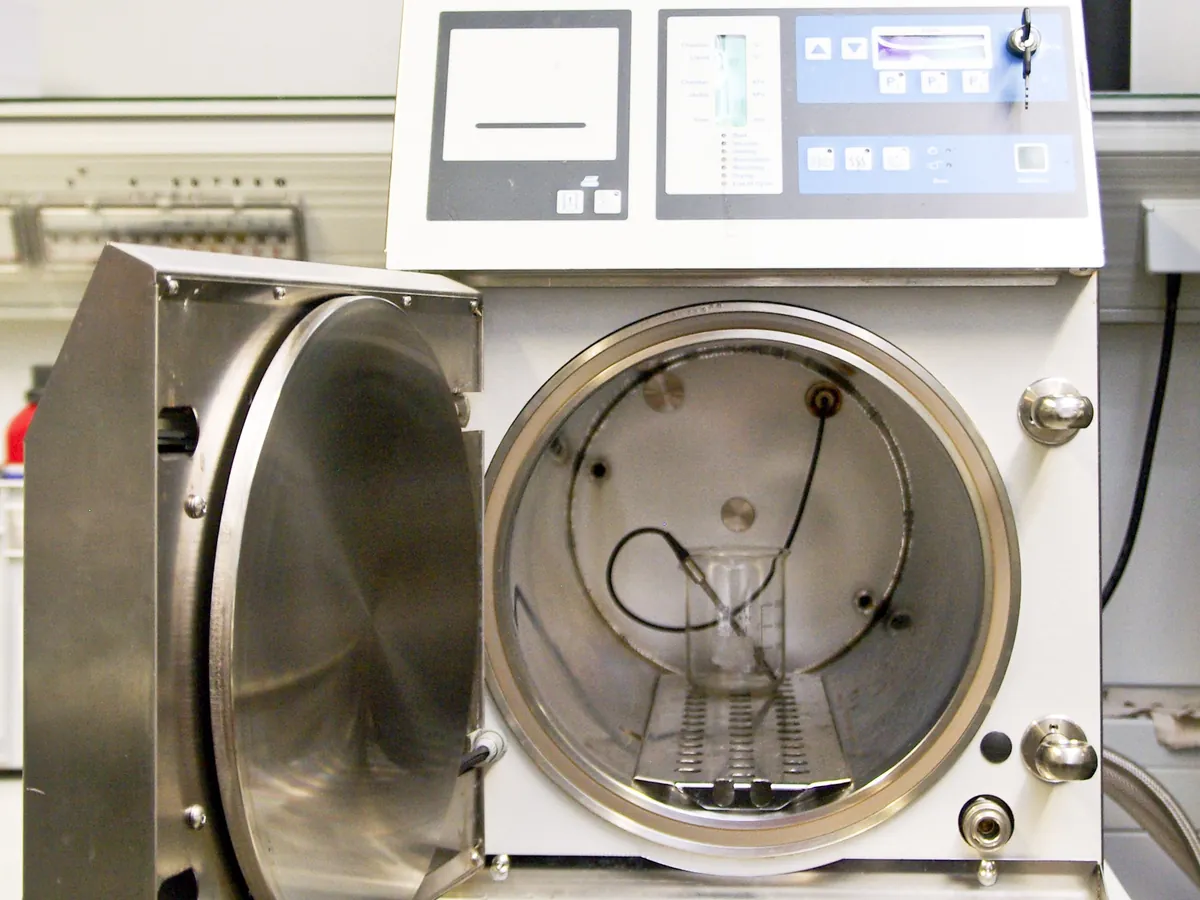
Autoclave (steam steriliser)
Kills microorganisms, including bacterial spores, with saturated steam under pressure. Used in the QC microbiology lab to sterilise culture media, glassware and equipment, and to decontaminate used media before disposal.
- Pharmaceutical
- Biotech
- Hospitals
- Food & beverage
- Research laboratories
- Medical devices
TROUBLESHOOTING
Common problems, causes and fixes
Bowie-Dick test sheet shows a pale or uneven centre
Likely causes
- • Air leak into the chamber
- • Inadequate vacuum pulses
- • Non-condensable gases in the steam supply
What to do
- • Run a vacuum leak test and replace the door gasket or leaking valves
- • Have the vacuum pump and air removal stage serviced
- • Check steam quality and the feed water
- • Do not use the autoclave for porous loads until the test passes
Cycle does not reach set temperature or heat-up is very slow
Likely causes
- • Low steam supply or generator water level
- • Blocked drain or steam trap
- • Overloaded chamber
- • Faulty heating element
What to do
- • Check water and steam supply
- • Clean the drain strainer and trap
- • Reduce the load to the validated pattern
- • Call service for the heater or generator
Biological indicator shows growth
Likely causes
- • Cold spot in the load not reaching temperature
- • Air trapped in the load
- • Indicator placed in a non-validated position or mishandled
- • Cycle time too short for the load
What to do
- • Treat the load as not sterile and quarantine it
- • Investigate the cycle record and load configuration
- • Check positive and negative controls of the indicator
- • Repeat mapping and BI challenge after correction
Media boil over or bottles lose volume
Likely causes
- • Containers overfilled
- • Pressure released too quickly at the end of the cycle
- • Wrong cycle selected (porous instead of liquid cycle)
What to do
- • Fill containers to no more than two-thirds
- • Use the liquid cycle with slow exhaust
- • Check the cycle programme settings
Wet load at the end of a porous cycle
Likely causes
- • Wet steam or a blocked steam trap
- • Load packed too densely or wrapped in non-breathable material
- • Drying vacuum too short
What to do
- • Check steam quality and the trap
- • Repack the load as per the validated pattern
- • Review the drying phase settings
Pressure and temperature do not agree with the steam table
Likely causes
- • Air in the chamber
- • Faulty temperature probe or pressure transducer
- • Superheated steam
What to do
- • Repeat air removal and run a Bowie-Dick test
- • Check the instruments against a calibrated reference
- • Investigate the steam supply
Door will not open after the cycle
Likely causes
- • Chamber still under pressure or above the safe temperature
- • Vacuum remaining in the chamber
- • Faulty door switch or seal
What to do
- • Wait for the cycle to finish and the chamber to vent
- • Do not force the door; call maintenance if it remains locked
In LimsPulse · Calibration Management
Keep every Autoclave in control: usage logs, calibration and maintenance schedules, and automatic blocking of overdue instruments.